New feature: Quiz Ny funktion: Quiz
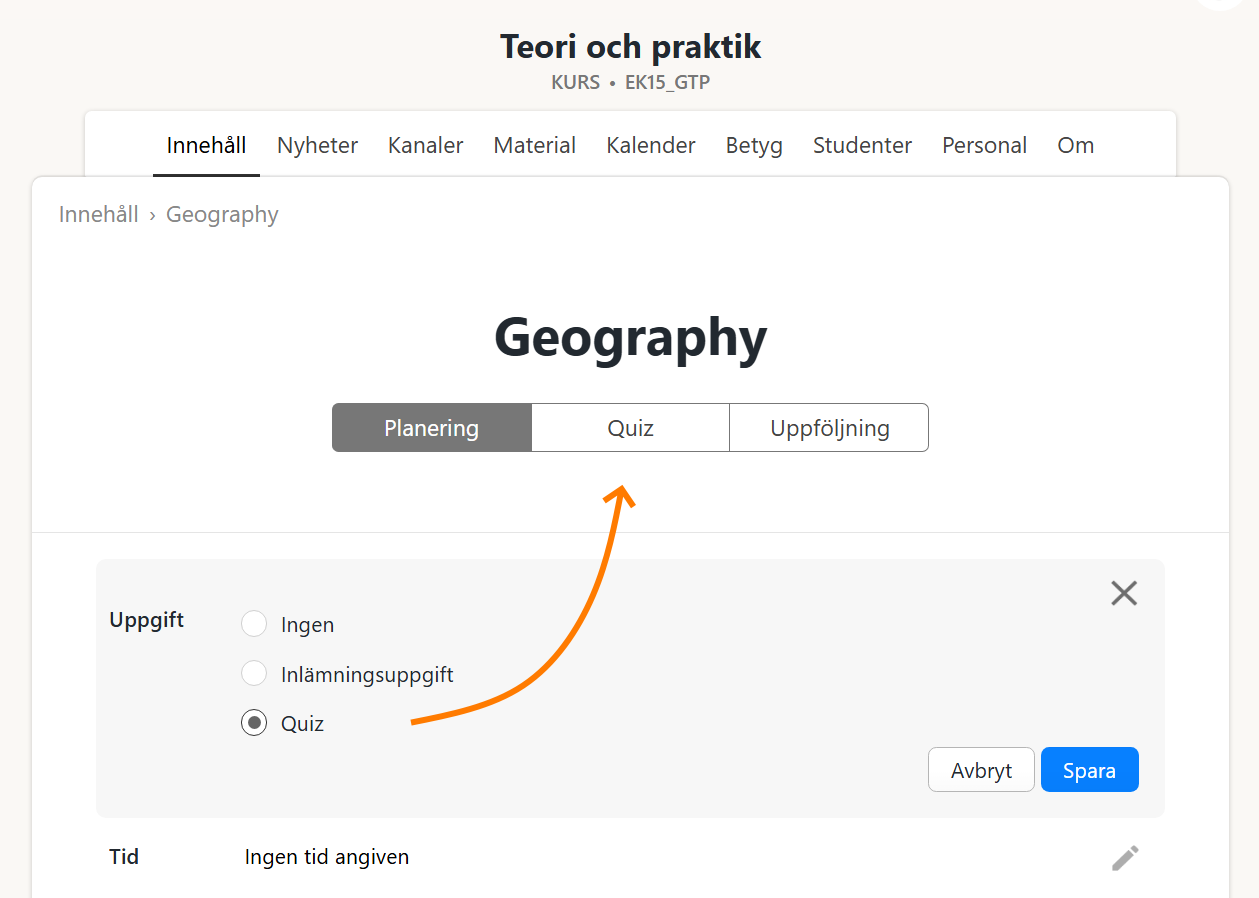
Learnpoint has been updated with a new feature: Quiz. To get started, select the assignment type Quiz, and then you'll get a new tab for quiz questions and settings:
Learnpoint har uppdaterats med en ny funktion: Quiz. Om du väljer uppgiftstypen Quiz, så visas en ny flik som innehåller frågor och inställningar:
Three types of questions Tre typer av frågor
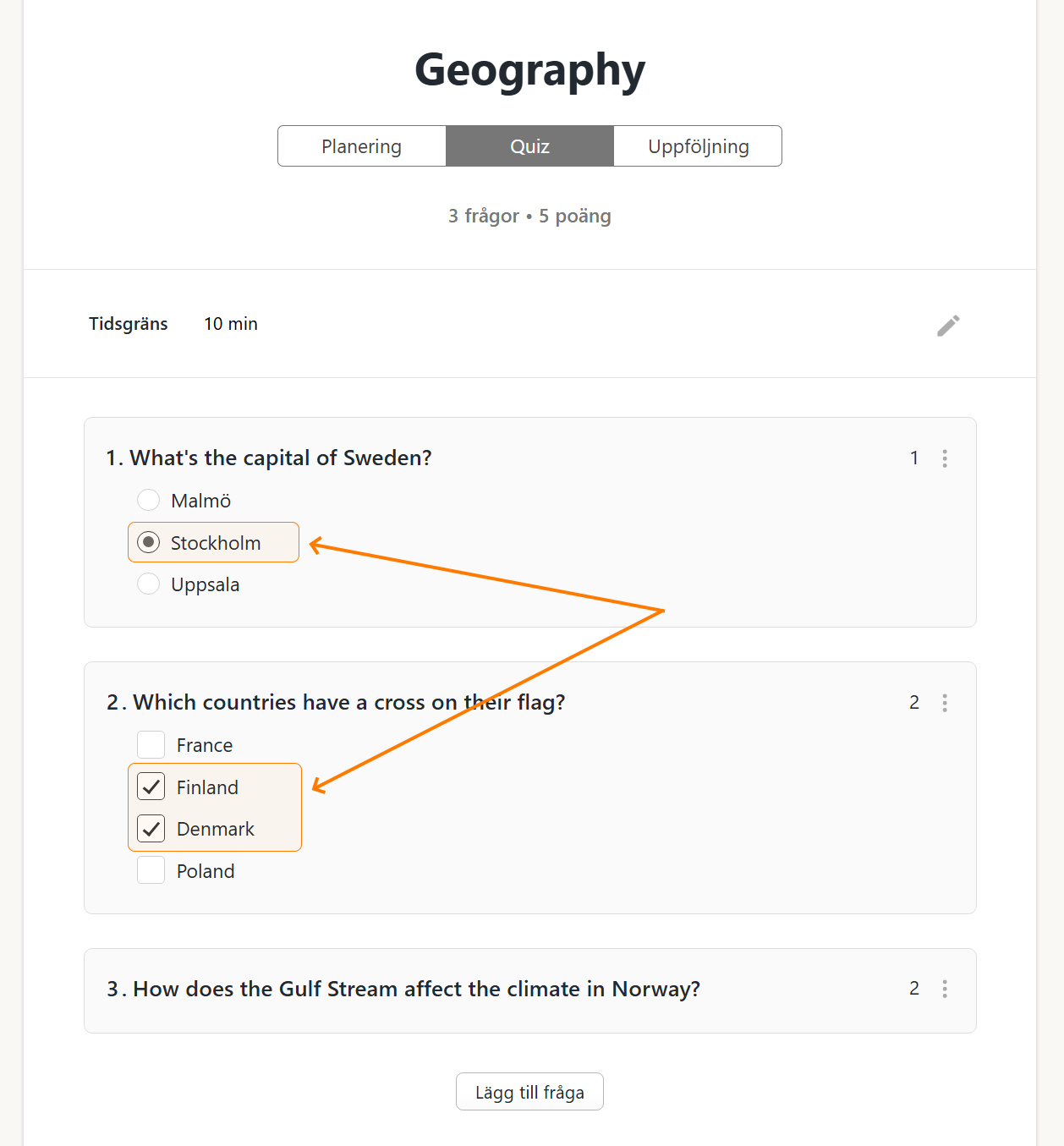
There are three types of questions: single choice, multiple choice, and text. Det finns tre typer av frågor: envalsfrågor, flervalsfrågor, och fritextfrågor.
For single choice and multiple choice questions, you need to add answer options and select which ones are correct: För envalsfrågor och flervalsfrågor behöver du ange svarsalternativ och markera vilka som är rätt:
Points Poäng
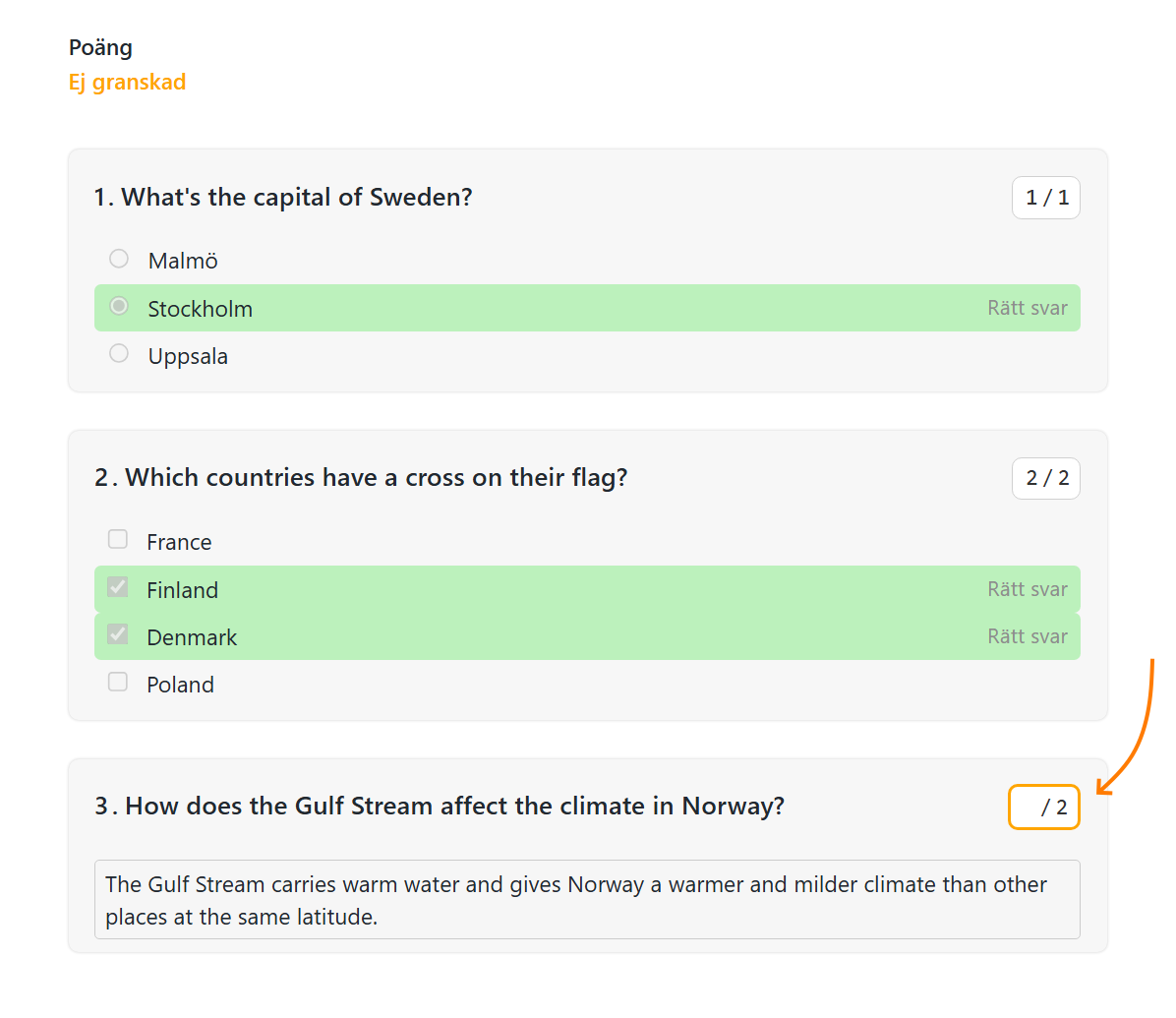
When a student has taken a quiz, Learnpoint will automatically calculate the score. However, the score for text questions must be manually reviewed: När en student gjort ett quiz så beräknas poängen automatiskt. Men för fritextfrågor behöver poängen granskas manuellt:
Time limit Tidsgräns
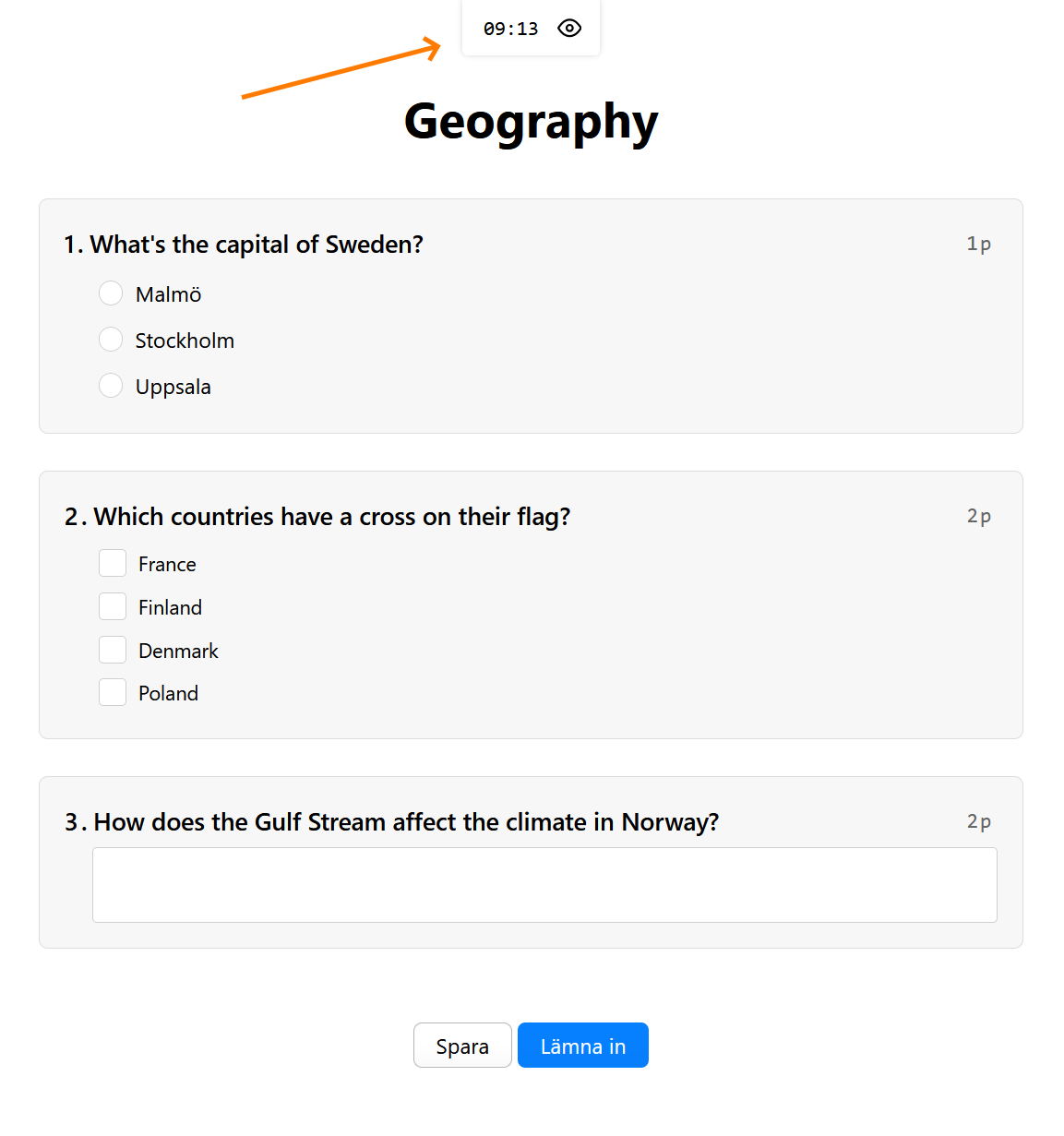
You can set a time limit for a quiz. When a student takes a quiz with a time limit, a countdown clock will be displayed and when the time's up, the quiz will be automatically submitted: Du kan ange en tidsgräns för ett quiz. När en student gör ett quiz med en tidsgräns, så visas en klocka och när tiden är slut så lämnas quizet in automatiskt:
Tips & Tricks Tips & Tricks
This feature is primarily designed for simple quizzes. But in some scenarios it might be good enough for assessing knowledge and skills. Give it a spin and let us know what you think. Funktionen är i första hand designad för enkla quiz, men kan i vissa fall även fungera för kunskapstester. Prova gärna och berätta för oss hur det fungerar.
It's also possible to use a quiz for simple surveys. Or mix and match knowledge questions and survey questions, within the same quiz. Just make sure to remove the available points for your survey questions. Det är också möjligt att använda quiz för enkla enkätfrågor. Eller blanda enkätfrågor med kunskapsfrågor i ett och samma quiz. Se bara till att ta bort poängen för enkätfrågorna.
Thoughts or questions? Frågor eller förslag?
Let us know if you've any thoughts or questions. Contact our support or shoot an email over to karl.west@learnpoint.se. Hör av dig till oss om du har frågor eller förslag. Kontakta supporten eller skicka ett mail till karl.west@learnpoint.se.